





Skip to content

CyberGrant protects every aspect of your digital security

Discover the modular solutions designed to protect your company from external and internal threats, as well as new challenges like AI.

key-minimalistic-square-3-svgrepo-com

Digital asset protection

Automatic classification

Cloud encryption

Email protection

Anti-phishing

password-minimalistic-input-svgrepo-com

Remote access

Access rules

Credentials

Stolen Device

Web access

email grant

Post-send control

Protected Attachments

Human error

Advanced encryption

laptop-svgrepo-com (1)

Beyond Antivirus

External Threats

Data Exfiltration

Remote Work

Zero trust

pulse-svgrepo-com

Device control

Shared files

Audit Trail

Credential Access

Email Channel

Anomaly detection

password

Company vault

Controlled sharing

Zero-trust encryption

Logging and generation

share

Third-party users

RBAC

Anti-AI scraping

VDR

medal-ribbons-star-svgrepo-com

GDPR and encryption

NIS2

DORA

AI act

Audit

bot-svgrepo-com

AI control

Automated classification

AI blocking

Private AI

magnifer-bug-svgrepo-com

Attack Surface Mapping

Penetration testing

Ransomware

Human Factor

After the Test

Tailored cybersecurity for every business.
Scalable solutions compatible with legacy systems, designed for both SMEs and large enterprises requiring full control over data, access, and sharing.


IT
Consulting
Travel
Advertising

Construction
Real Estate

Oil & Gas
Electricity
Telco

E-commerce
Transportation
Shipping
Retail chains

Design
Automotive
Industrial

Central agencies
Local agencies
Supranational orgs

Discover security features to protect your data, files, and endpoints

FileGrant
FileGrant

Securely store, share, and manage your files with an advanced, easy-to-use, and highly customizable platform


SG_pittogramma_blu
SecretGrant

Control every credential like a file. Share, track, and revoke access instantly.


RemoteGrant
RemoteGrant

RemoteGrant protects your business from attacks and data loss by enabling employees to securely access workstations and files from anywhere.


EmailGrant
EmailGrant

Encrypt every email and keep control of attachments, even after sending.


AG_pittogramma_blu
AIGrant

AIGrant is your personal assistant - it understands your data, keeps it secure, and delivers exactly what you need.


Connector CyberGrant
Connector

Encrypts every file on SharePoint and OneDrive, in any format, leaving your libraries, permissions, and daily workflows untouched.


CGSite_hero_Conncetor

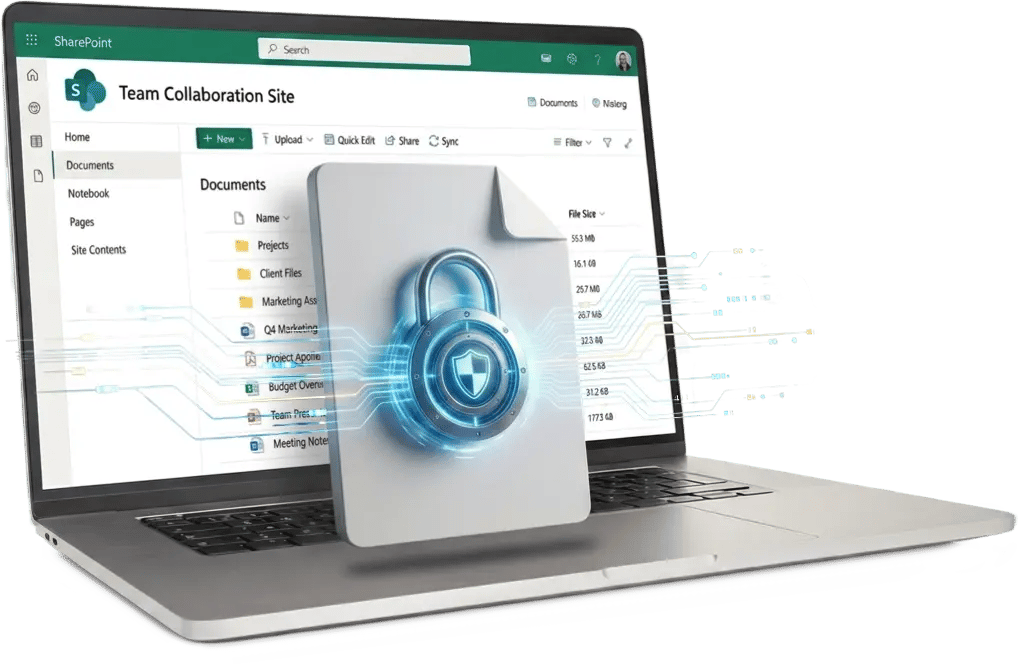
Connector keeps your SharePoint files encrypted and unreadable, anywhere.

Connector encrypts files inside Microsoft SharePoint and OneDrive with no migration and no change to your permissions. Each document is protected at the file level and opens only on authorized company devices, so it stays encrypted even after it leaves the tenant.


Connector

    Protect Your SharePoint Data with Quantum-Safe Encryption

    SharePoint manages who can open a file inside the corporate perimeter. It does not encrypt the documents at the file level, it does not follow a file once it syncs to a personal PC, and it does not stop a tenant administrator from opening it. Access control and encryption are not the same protection.

    Connector is the FileGrant extension that encrypts files directly inside SharePoint and OneDrive, with no migration. Documents stay where they are, users keep their Microsoft login and workflow, and each file opens only on authorized devices. Protection lives in the file, so it does not depend on the individual user and does not end when the file leaves SharePoint.

    SharePoint_attack

    Over 400 organizations were breached through a single SharePoint vulnerability in 2025. 

    (Threat Intelligence & NNSA USA 2025)

    CN_logo_orizz
    Connector_SharePoint

    Connector + FileGrant: file-centric encryption, now inside SharePoint.

    Connector encrypts your files where they already live, on SharePoint and OneDrive, with the same Microsoft interface, the same permissions, and zero migration. The core stays FileGrant, which now opens and protects SharePoint documents too. For local editing, RemoteGrant handles decryption transparently. Connector adds an encryption layer on top of the Microsoft 365 stack you already run, so it complements SharePoint rather than replacing it.
    HOW IT WORKS

    Encrypt, open, control. Without changing how people work.

    1
    Encrypt files where they already are

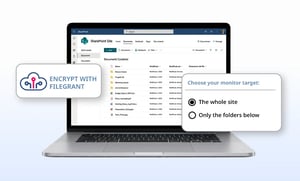
    You choose the scope, an entire SharePoint site or a single folder. Connector encrypts every file automatically and leaves it in place on SharePoint. No data is moved and no new repository is created.

    2
    Open with the Microsoft login

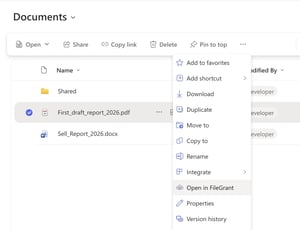
    Users open documents the way they do each day: in the browser with "Open with FileGrant," or locally with RemoteGrant. They authenticate with their existing Microsoft 365 login, so there is no second password and no new interface to learn.


    3
    Control access by device

    An encrypted file opens only on an authorized company device. A user can download it to a personal or home PC, but on an unmanaged device the file will not open.

    TRANSPARENT ENCRYPTION

    Automatic, quantum-safe encryption for every SharePoint file

    Connector encrypts every file uploaded to the selected SharePoint site or folder automatically, with nothing for the user to do. The Microsoft permissions you built over the years stay exactly as they are, so you keep who-sees-what without reconfiguration. Encryption is quantum-safe: FileGrant Lock&Go uses CRYSTALS-Kyber, the algorithm NIST standardized as FIPS 203 (ML-KEM) to counter harvest-now-decrypt-later attacks.

    CGsite_Connector_image_01_eng-1
    TOUCH
    Connector_image_02
    TOUCH
    USABILITY

    Open encrypted SharePoint files in the browser, with your Microsoft login

    Encrypted documents open directly in SharePoint, in the browser, through "Open with FileGrant." The user relies on the existing Microsoft 365 login, with no new authentication, no change of interface, and no proprietary viewer to install.


    ENDPOINT PROTECTION

    Open and edit encrypted files locally, with no copy left behind

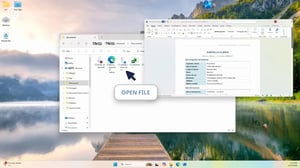
    With RemoteGrant, an encrypted file opens locally on a double click. The user edits and saves it straight back into SharePoint, and the decrypted copy stays in RAM only. Once the file is closed or the computer is off, no decrypted copy and no local trace remain.

    Connector_image_03
    TOUCH
    Connector_image_04-1
    TOUCH


    INTEROPERABILITY

    Encrypt non-Office files that Microsoft Purview leaves unprotected

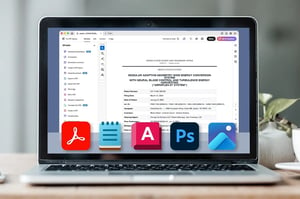
    Microsoft Purview applies sensitivity labels and encryption mainly to Office formats and PDF. Connector encrypts any file type, including PSD, AutoCAD, JPEG, and TXT, and lets you open and edit each one in its native app (Photoshop, Notepad, Acrobat) without changing the extension. Connector runs on top of your Microsoft 365 stack, so it complements Purview and SharePoint rather than replacing them.


    AI PROTECTION

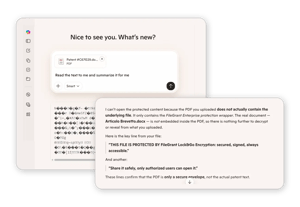
    No AI can read your encrypted files, not even Copilot

    Copilot and other AI assistants index the documents on SharePoint to answer users. On a file encrypted by Connector they see only ciphertext and metadata, never the readable content. The same holds outside the tenant, thanks to FileGrant: the file stays encrypted wherever it is copied, forwarded, or uploaded, so no AI system (Copilot, ChatGPT, or anything else) can read what is inside. A document that leaves encrypted never feeds a model. non finisce in nessun modello.

    copilot encryption
    TOUCH
    Connector_image_05
    TOUCH
    ACCESS CONTROL

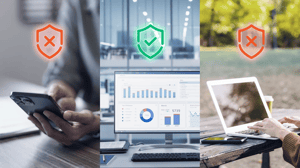
    Files open only on authorized company devices, not on personal PCs

    Connector ties file access to the device, not only to the user identity. Even with valid Microsoft 365 credentials, an encrypted file will not open on an unmanaged or personal device. The tenant administrator cannot read the documents either, because the encryption keys stay with your company (zero-knowledge). When a file is shared externally it leaves encrypted, and the screenshot and copy-paste blocks it inherits from FileGrant travel with it.


    DEPLOYMENT

    Deploy on your existing Microsoft 365 tenant, with no data migration

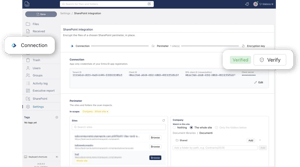
    You turn Connector on inside the Microsoft 365 tenant you already use, over your existing SharePoint structure. Sites and folders stay where they are, with no new repository and no data migration. There are no user-side installs and no extra server to manage. You set the scope, switch on encryption, and daily work continues unchanged.

    deployment- sharepoint
    TOUCH


    hacker

    Even if attackers get into SharePoint, Connector leaves them empty-handed.

    CyberGrant Connector puts FileGrant encryption inside SharePoint itself. If an attacker breaks in with phished credentials, every document is already encrypted, so nothing opens. They can exfiltrate the files, but what they take is unreadable.

    Book a free consultation

    See how Connector encrypts your SharePoint and OneDrive files without migration, and keeps them readable only on authorized devices.