
.svg)



 FileGrant
 RemoteGrant
 Connector
 AIGrant
 EmailGrant
 SecretGrant
Born secure: quantum-safe encryption
Cybercriminals are storing encrypted data, waiting to break it with quantum computing.
Protect your business with secure file sharing built for today’s needs and tomorrow’s threats

Keep encryption keys in your hands only. Use a private key known only to you to secure your files

Recover up to 20 previous versions of any file. Maintain full control without the stress

Security is reinforced with CRYSTALS-Kyber, a NIST-recognized quantum-safe algorithm applied to all files, ensuring protection that’s future-proof in the post-quantum era.

Open files in read-only mode with advanced screen capture blocking for Zoom, Meet, Teams, and more

Lock&Go generates unique, digitally signed encrypted files that are always secure yet instantly accessible to authorized users.
These protected files can be shared across any channel without compromising security, ensuring true end-to-end protection throughout their entire lifecycle.
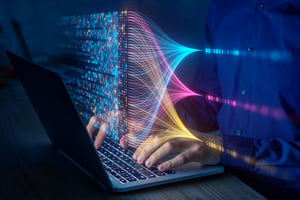
SECURITY BY DESIGN

Every download is automatically protected: files are always encrypted with Lock&Go, even for the owners themselves, eliminating any risk of interception.
Born secure: quantum-safe encryption
Cybercriminals are storing encrypted data, waiting to break it with quantum computing.
Protect your business with secure file sharing built for today’s needs and tomorrow’s threats
SECURITY BY DESIGN
Keep encryption keys in your hands only. Use a private key known only to you to secure your files

Lock&Go generates unique, digitally signed encrypted files that are always secure yet instantly accessible to authorized users.
These protected files can be shared across any channel without compromising security, ensuring true end-to-end protection throughout their entire lifecycle.
Security is reinforced with CRYSTALS-Kyber, a NIST-recognized quantum-safe algorithm applied to all files, ensuring protection that’s future-proof in the post-quantum era.
Open files in read-only mode with advanced screen capture blocking for Zoom, Meet, Teams, and more

Recover up to 99 previous versions of any file. Maintain full control without the stress
Every download is automatically protected: files are always encrypted with Lock&Go, even for the owners themselves, eliminating any risk of interception.

INTELLECTUAL PROPERTY PROTECTION

Stamp each document with the viewer’s name to track and prevent unauthorized sharing

Lock down your assets: no screen captures, no screen sharing. Like a digital safe

Security for innovation: protect what you create
Defend the value of your know-how with full control over your intellectual property

Add a legally recognized timestamp to guarantee the authenticity and priority of your digital assets

Block automated AI from extracting your data and content without consent
Security for innovation: protect what you create
Defend the value of your know-how with full control over your intellectual property
INTELLECTUAL PROPERTY PROTECTION
Stamp each document with the viewer’s name to track and prevent unauthorized sharing
Lock down your assets: no screen captures, no screen sharing. Like a digital safe
Add a legally recognized timestamp to guarantee the authenticity and priority of your digital assets
Block automated AI from extracting your data and content without consent
Smart access, total control
Fine-tune access in real-time with zero friction

Assign roles, control access, and tailor permissions with precision

Set time limits for sharing and revoke access with one click

Define who can view, edit, or download-instantly and easily

FileGrant scans file contents and automatically applies security tags like “encrypted download only,” “No screen capture,” or “Restricted access”
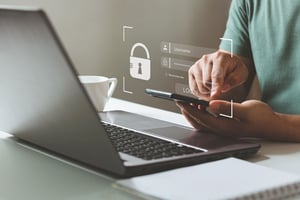
GRANULAR ACCESS CONTROL

Super-admins can access and act on user files in real time for troubleshooting, audits, or critical interventions.
Smart access, total control
Fine-tune access in real-time with zero friction
GRANULAR ACCESS CONTROL
Assign roles, control access, and tailor permissions with precision
Set time limits for sharing and revoke access with one click
Define who can view, edit, or download-instantly and easily
FileGrant scans file contents and automatically applies security tags like “encrypted download only,” “No screen capture,” or “Restricted access”
Super-admins can access and act on user files in real time for troubleshooting, audits, or critical interventions.

Monitor every action on shared files and folders, live
Work together without worry. Every file saves up to 99 versions, so you can easily roll back and recover any team input

Use custom tags, advanced search, and shared folders to stay organized
Collaborate like never before
Empower your team with seamless, secure teamwork-without compromise

SECURE COLLABORATION

Co-edit Office docs online in real-time, inside a secure environment

Assign, track, and approve every document securely, with full visibility and no revision chaos

Transfer entire file structures-no limits, no delays
Collaborate like never before
Empower your team with seamless, secure teamwork-without compromise
SECURE COLLABORATION
Monitor every action on shared files and folders, live
Work together without worry. Every file saves up to 99 versions, so you can easily roll back and recover any team input
Use custom tags, advanced search, and shared folders to stay organized
Co-edit Office docs online in real-time, inside a secure environment
Assign, track, and approve every document securely, with full visibility and no revision chaos
Transfer entire file structures-no limits, no delays

AI that works for your documents
With FileGrant Enterprise, AI speeds up your workflow, minimizes human error, and turns your data into real value – always under your control.

The AI automatically applies smart tags that simplify organization and trigger advanced protection rules.

Receive real-time notifications when the AI detects suspicious activity or critical changes in your documents.

Grant advanced features only to specific roles, groups, or users – keeping governance tight and transparent.

Ask questions directly to the document and get real-time answers from the AI. Work faster, without missing key details.

Generate custom, always up-to-date reports powered by AI – clear insights for faster, better-informed decisions.

SPEED.
ACCURACY.
SECURITY.

Get instant summaries of complex reports, contracts, or analyses. The AI extracts what matters so you can focus on the essentials.
AI that works for your documents
With FileGrant Enterprise, AI speeds up your workflow, minimizes human error, and turns your data into real value – always under your control.
SPEED. ACCURACY. SECURITY.
The AI automatically applies smart tags that simplify organization and trigger advanced protection rules.
Receive real-time notifications when the AI detects suspicious activity or critical changes in your documents.
Grant advanced features only to specific roles, groups, or users – keeping governance tight and transparent.
Ask questions directly to the document and get real-time answers from the AI. Work faster, without missing key details.
Generate custom, always up-to-date reports powered by AI – clear insights for faster, better-informed decisions.
Get instant summaries of complex reports, contracts, or analyses. The AI extracts what matters so you can focus on the essentials.

Sent a message to the wrong person? Revoke access with one click. The message goes dark immediately, even if it was already delivered.

For your most sensitive communications, add a passphrase. The content is unreadable to anyone without it, including your system administrator.
See who opened the message, when, and from which IP. No message leaves your control.

Email security
Messages never touch external servers. They stay on the platform, encrypted and logged, with the same protections you already apply to your files.
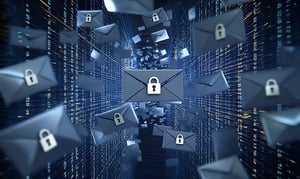
ENCRYPTED. TRACKED. REVOCABLE.

Attached files inherit FileGrant rules. If company policy blocks sharing a file, the email doesn't send.

Set a date and time. When the message expires, it closes, even if the recipient is reading it at that moment.
Email security
Messages never touch external servers. They stay on the platform, encrypted and logged, with the same protections you already apply to your files.
ENCRYPTED. TRACKED. REVOCABLE.
Sent a message to the wrong person? Revoke access with one click. The message goes dark immediately, even if it was already delivered.
For your most sensitive communications, add a passphrase. The content is unreadable to anyone without it, including your system administrator.
See who opened the message, when, and from which IP. No message leaves your control.
Attached files inherit FileGrant rules. If company policy blocks sharing a file, the email doesn't send.
Set a date and time. When the message expires, it closes, even if the recipient is reading it at that moment.

Password security
Your credentials, managed like your files: encrypted, organized, tracked.

Share a credential with a colleague or a team with exact permissions. Revoke access without changing the password.
For your most critical secrets, add an encryption passphrase. Anyone without the key can't open the secret, including administrators.

Folders, tags, and subfolders. No stray files, no private chats, no personal devices. Your secrets stay on the platform, where you can find and control them.

Create strong passwords directly in the platform, with configurable length and character rules. Ready to use immediately, without leaving the interface.
See who accessed which credential, when, and from where. When someone leaves the team, revoke their access and know with certainty they can't see anything anymore.
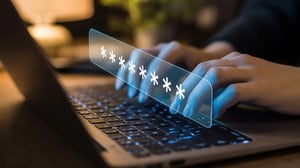
CREDENTIALS SECURED. ALWAYS.
Password security
Your credentials, managed like your files: encrypted, organized, tracked.
CREDENTIALS SECURED. ALWAYS.
Share a credential with a colleague or a team with exact permissions. Revoke access without changing the password.
For your most critical secrets, add an encryption passphrase. Anyone without the key can't open the secret, including administrators.
Folders, tags, and subfolders. No stray files, no private chats, no personal devices. Your secrets stay on the platform, where you can find and control them.
Create strong passwords directly in the platform, with configurable length and character rules. Ready to use immediately, without leaving the interface.
See who accessed which credential, when, and from where. When someone leaves the team, revoke their access and know with certainty they can't see anything anymore.

Encryption. AI. Unlimited storage. See it in action
Start building a secure, flexible ecosystem for your company’s digital assetsSell & protect your digital assets with FileGrant
Monetize your digital content-whether it’s research, templates, or creative work-with built-in protection