Favorites
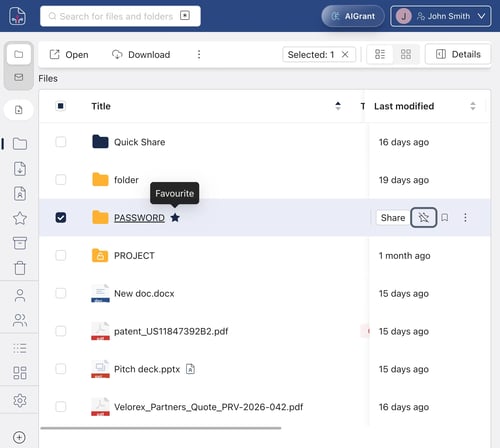
Star frequently used files or folders to find them instantly in the Favorites section.
- To add: hover over the file and click the star, or use the three-dot menu ⋮ → Organize → Add to Favorites.
- To remove: click the star again or select Remove from Favorites.
Hidden
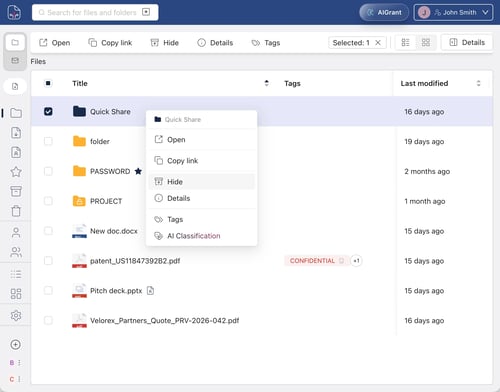
Hides a file from the main Files view without deleting it. The file remains accessible in the Hidden section.
- To hide: three-dot menu ⋮ → Organize → Hide
- To show again: go to Hidden → three-dot menu ⋮ → Show
Trash
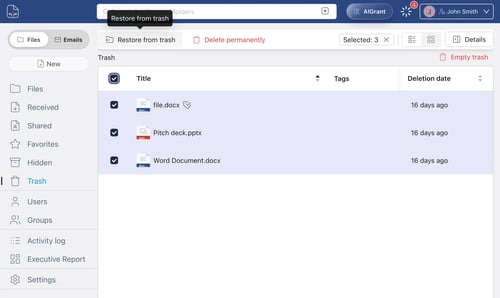
Deleted files are moved to Trash. You can restore or permanently delete them from there.
- To restore: go to Trash → three-dot menu ⋮ → Restore
- To permanently delete: go to Trash → three-dot menu ⋮ → Permanently Delete
💡 Note: Files in Trash may be automatically purged after a period configured by your administrator.