
After you upload files, each one appears in the central list with clear icons and management options that are immediately available.
Accessing actions
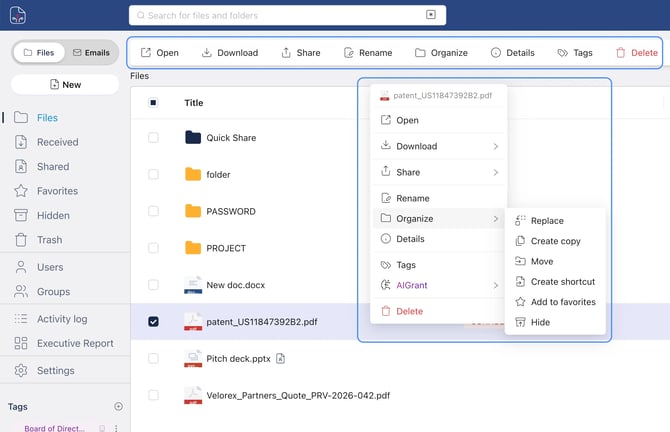
To manage a file, click it once. This activates the horizontal action bar at the top, where you can quickly choose to: Open, Download, Share, Rename, Organize, View details, Manage tags, or Delete.
If you prefer, you can also click the three-dot ⋮ menu to the right of the file to open the same set of options in a contextual menu.
What others see
By default, uploaded files are visible only to you. They remain private until you explicitly choose to share them, and uploading a file does not generate any automatic notifications to other users.