
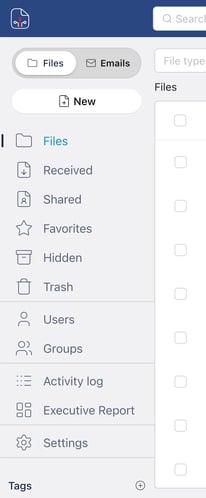
|
Action |
Description |
Files |
Your uploaded documents. From here you can upload, organize, share, and delete files. |
Received |
Files shared with you by other users. Does not include your own files or those you shared. |
Shared |
Files you have shared with others. Shows who has access and whether sharing is still active. |
Favorites |
Files marked with a star for quick access. |
Hidden |
Files you have hidden from the main view. They are still present but not visible in Files. |
Trash |
Files you deleted manually. You can restore them or delete them permanently. |
The sections Users, Groups, Audit, Settings, and Tags are visible only to users with Admin or Super Admin roles.