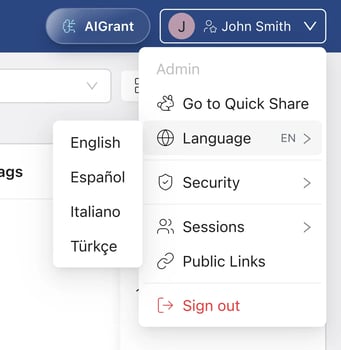
FileGrant is available in three interface languages. You can change your language at any time without affecting your data or active sessions.
To switch languages:
1. Click the globe icon next to your name in the top-right corner.
2. Select your preferred language from the list.
Available languages: Italian, English, Spanish, Turkish.